Pilgrim Smartsolve
What is it?
Pilgrim is a Quality Management System. In the simplest of terms, a quality management system is a collection of business processes and functions aimed to ensure expectations and requirements are met.
Background
IQVIA purchased it. Opportunity to redesign by using our Apollo Design System to improve the experience. Our goal was to make it efficient for power users. Easy to navigate and understand for new and infrequent users.
Apollo Design System
A design system for enterprise software. Apollo is a user-friendly interface based on human-centered design. It is intuitive and provides quick access to needed information. Using research, typography and layout, Apollo provides a sense of simplicity in a content heavy world.
Research
1. Interviewed 6 power users. In and out of the app daily. “Lives in the application.” Titles consist of Coordinator, Approver and Task Owner.
2. Interviewed 6 infrequent user users. Their role could include performing a task for a manager. Complete a training. Perform a task and get out.
What we found: “Difficult to use. Too much scrolling and not enough flexibility and control.”
My key responsibilities
Work with UX designers to be involved in the wireframe process
Take wireframe and produce pixel perfect UI comps
A working prototype to get feedback
Make iterations from a research conference
Work closely with developers to ensure build and design are 1:1
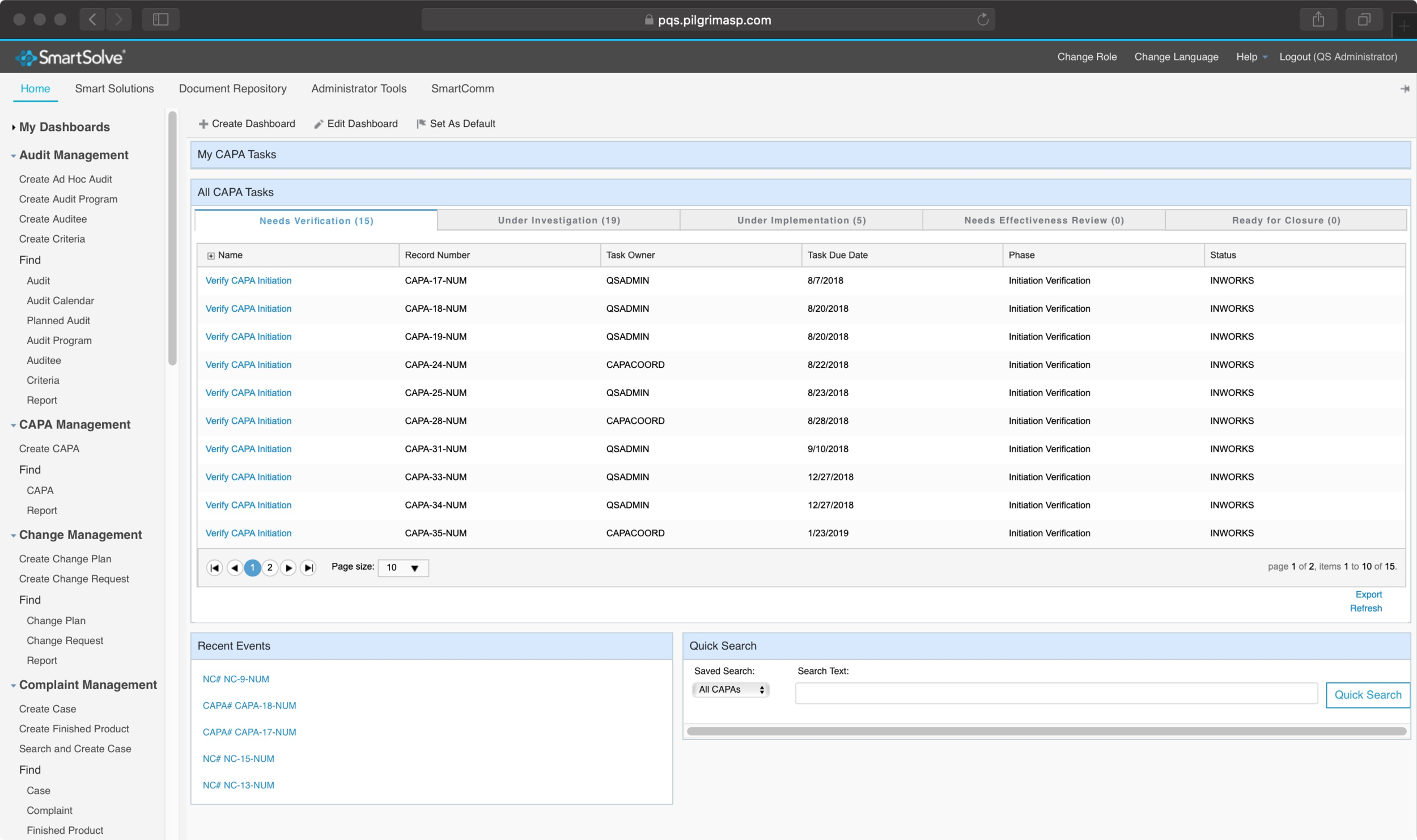
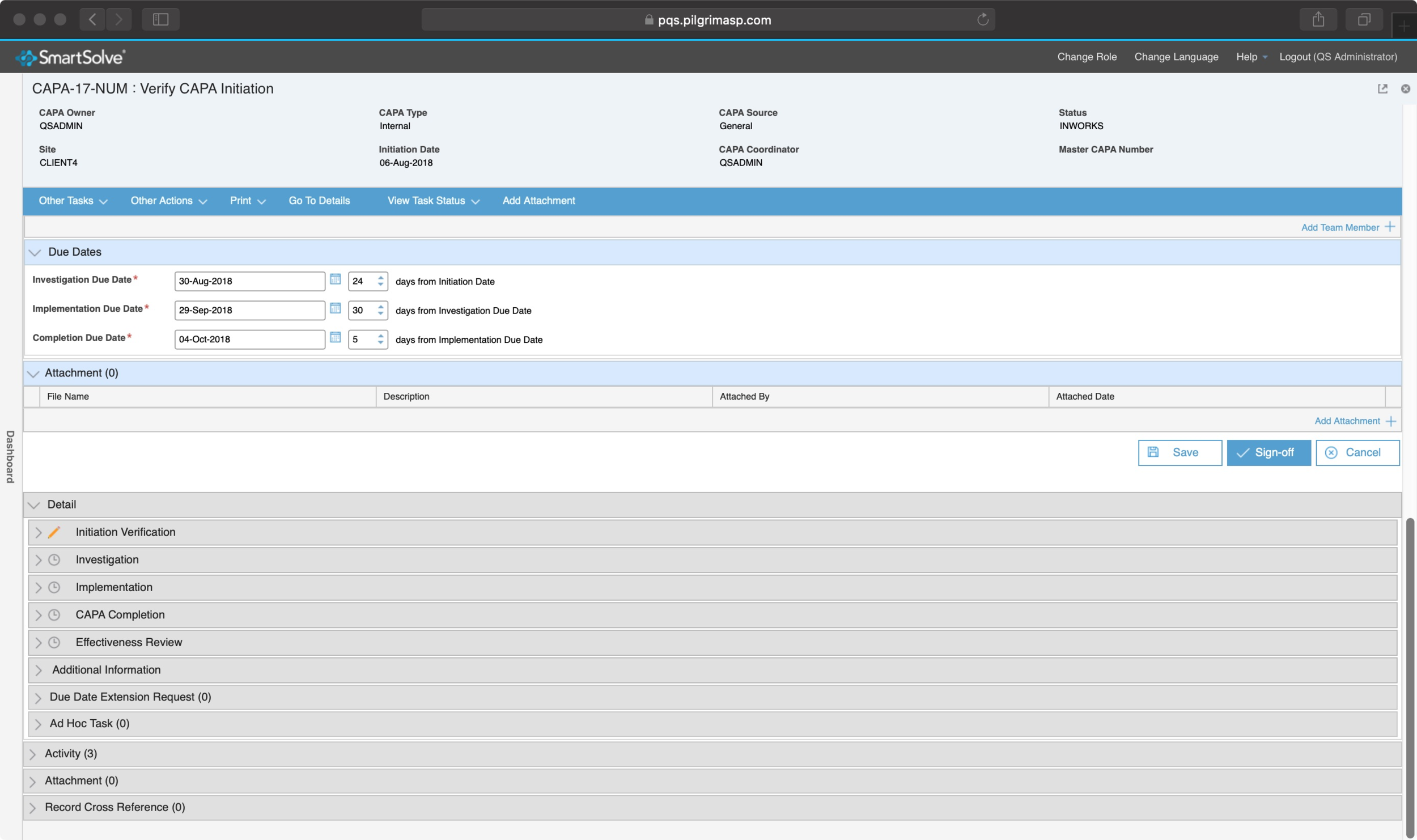
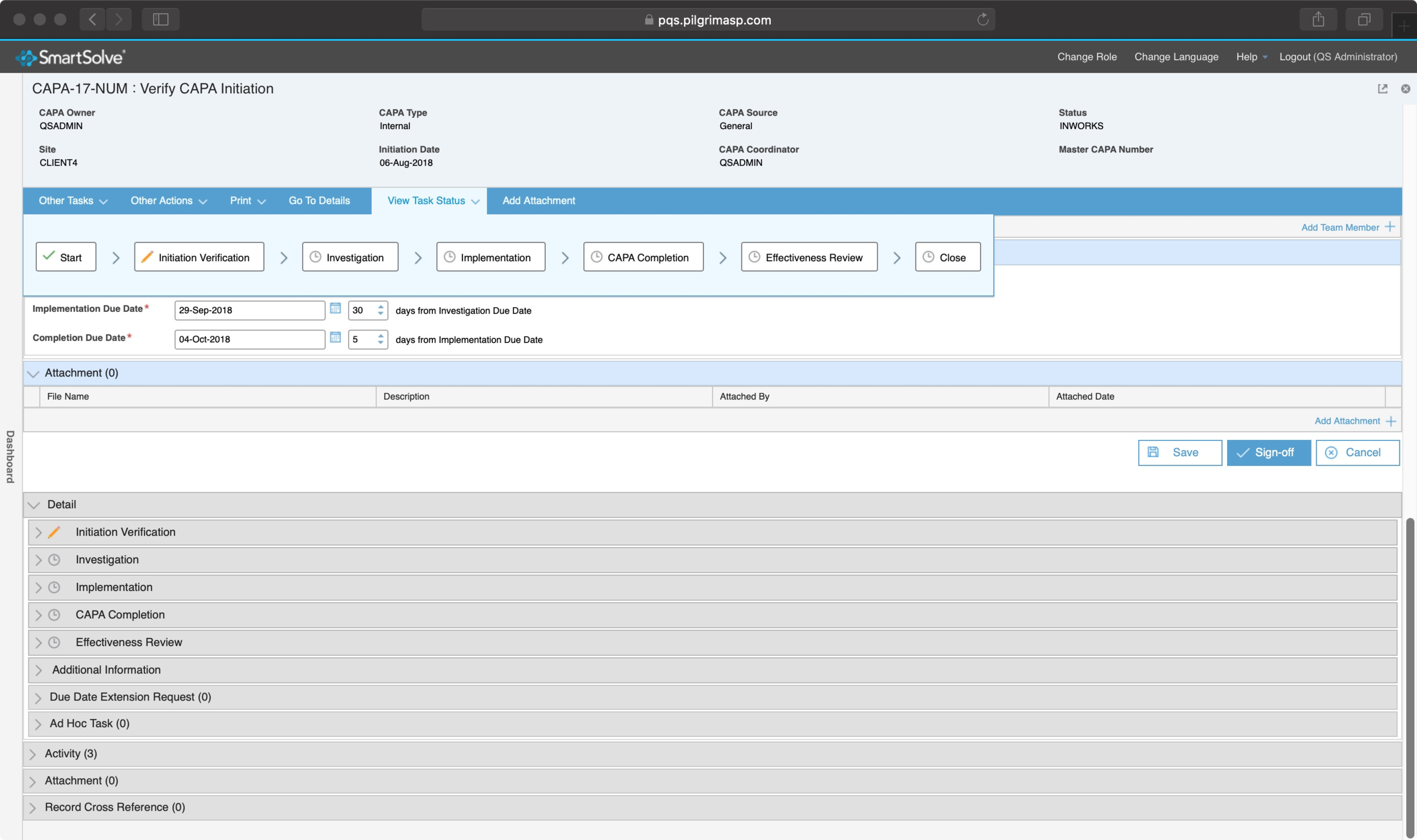
Current application
There are a couple of main issues with the current application. It is not intuitive, main features are hard to discover. A lot of information are visually treated the same, no real visual hierarchy can make data difficult to read. We want to communicate to our users that this can be easy to use and interact with.
Wireframe
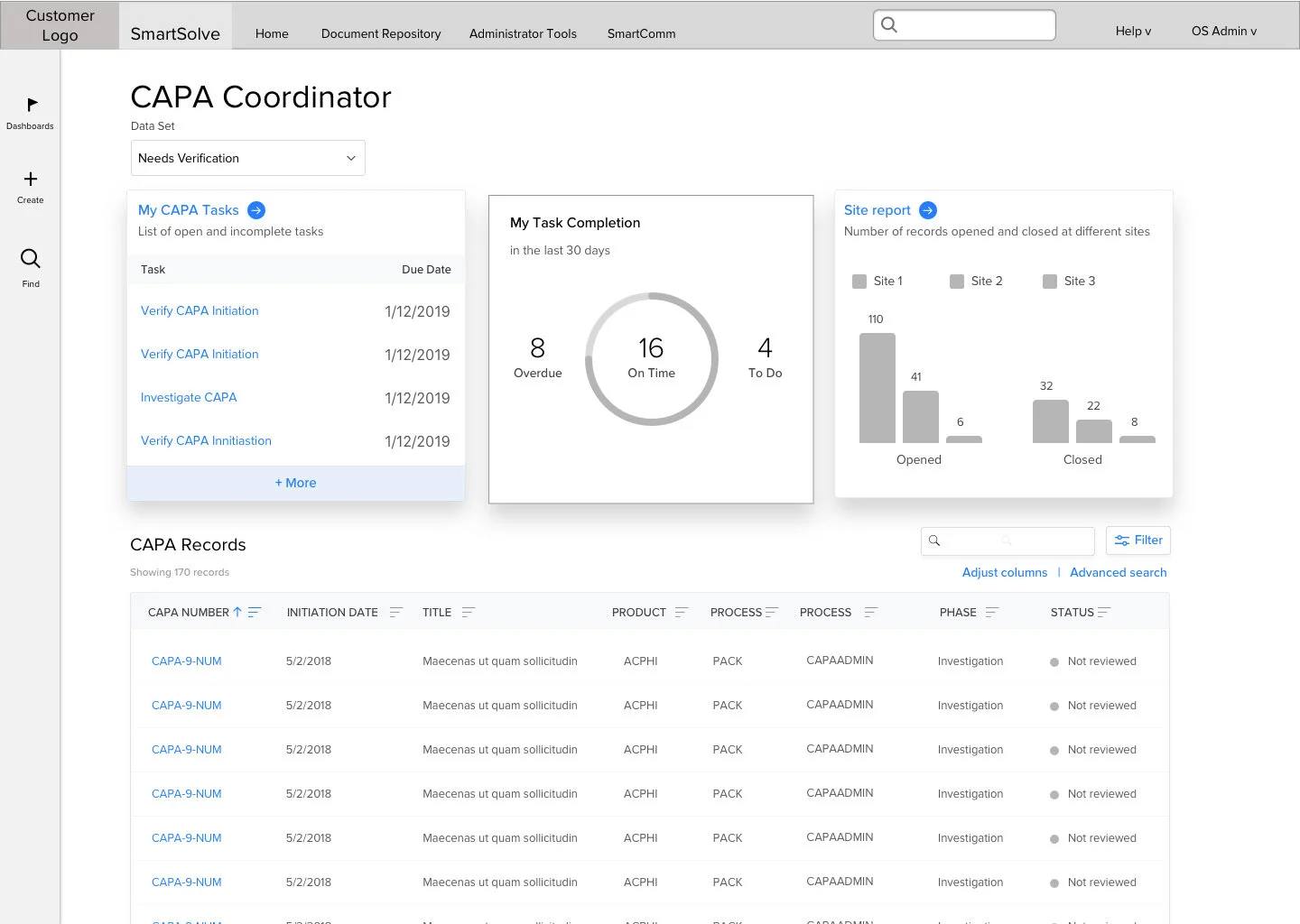
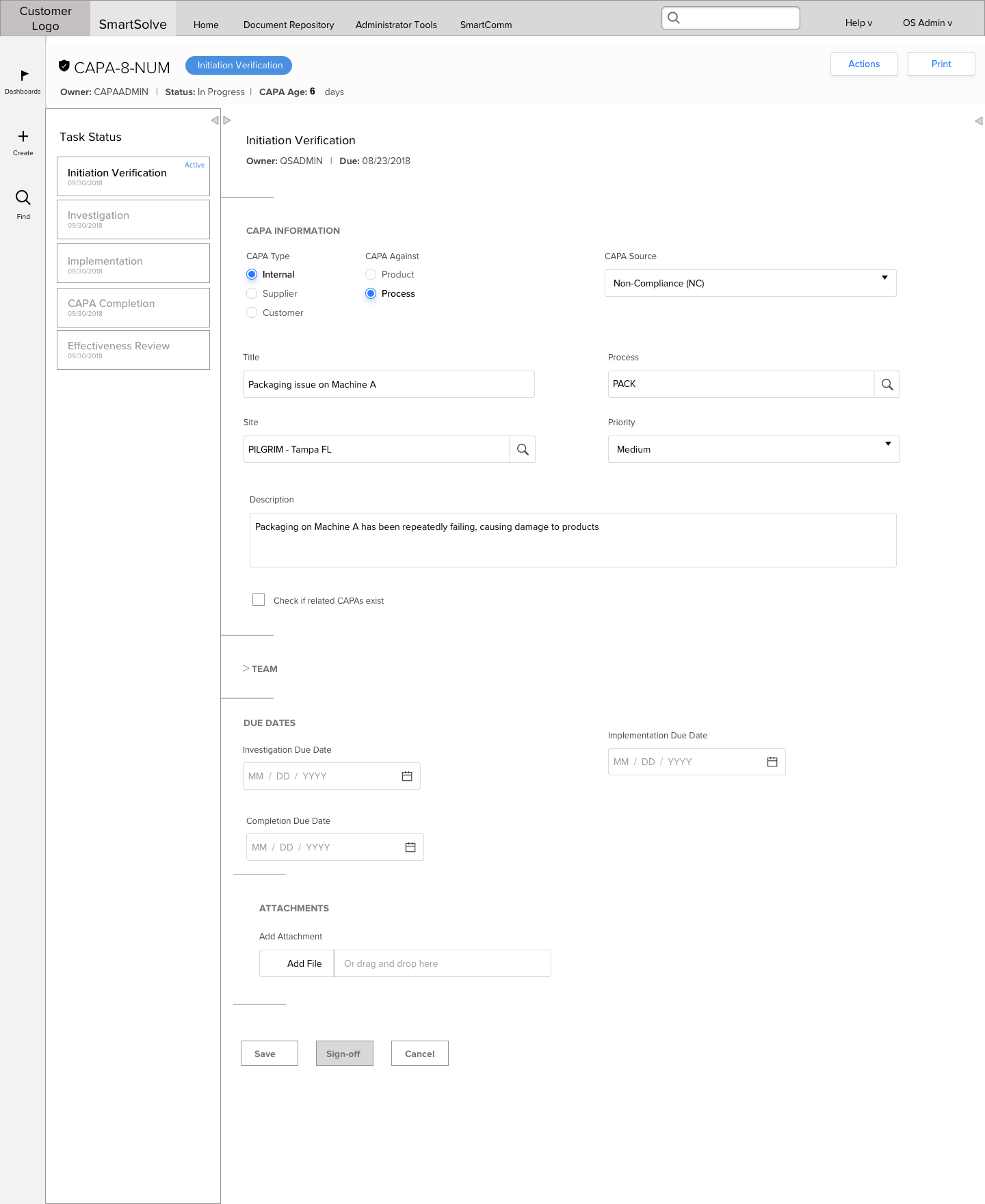
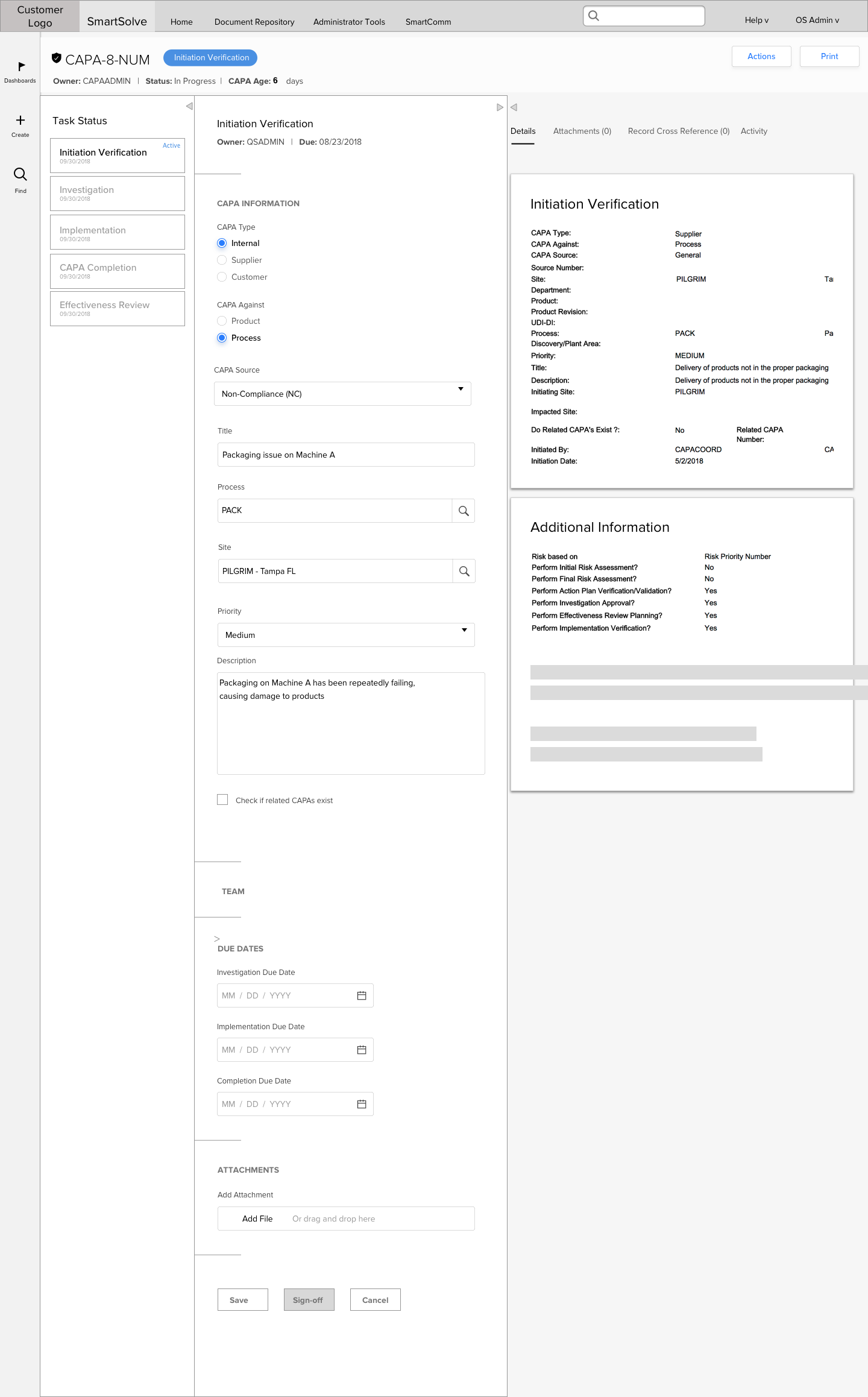
Using our initial interviews and talking to product owners about their wish list we started the process of wireframing. This process is constantly changing and updating with calls with our product owners. Our redesign really focused on making you want to interact. Cards and graphs replaced table of data. Some of the key area of focus include:
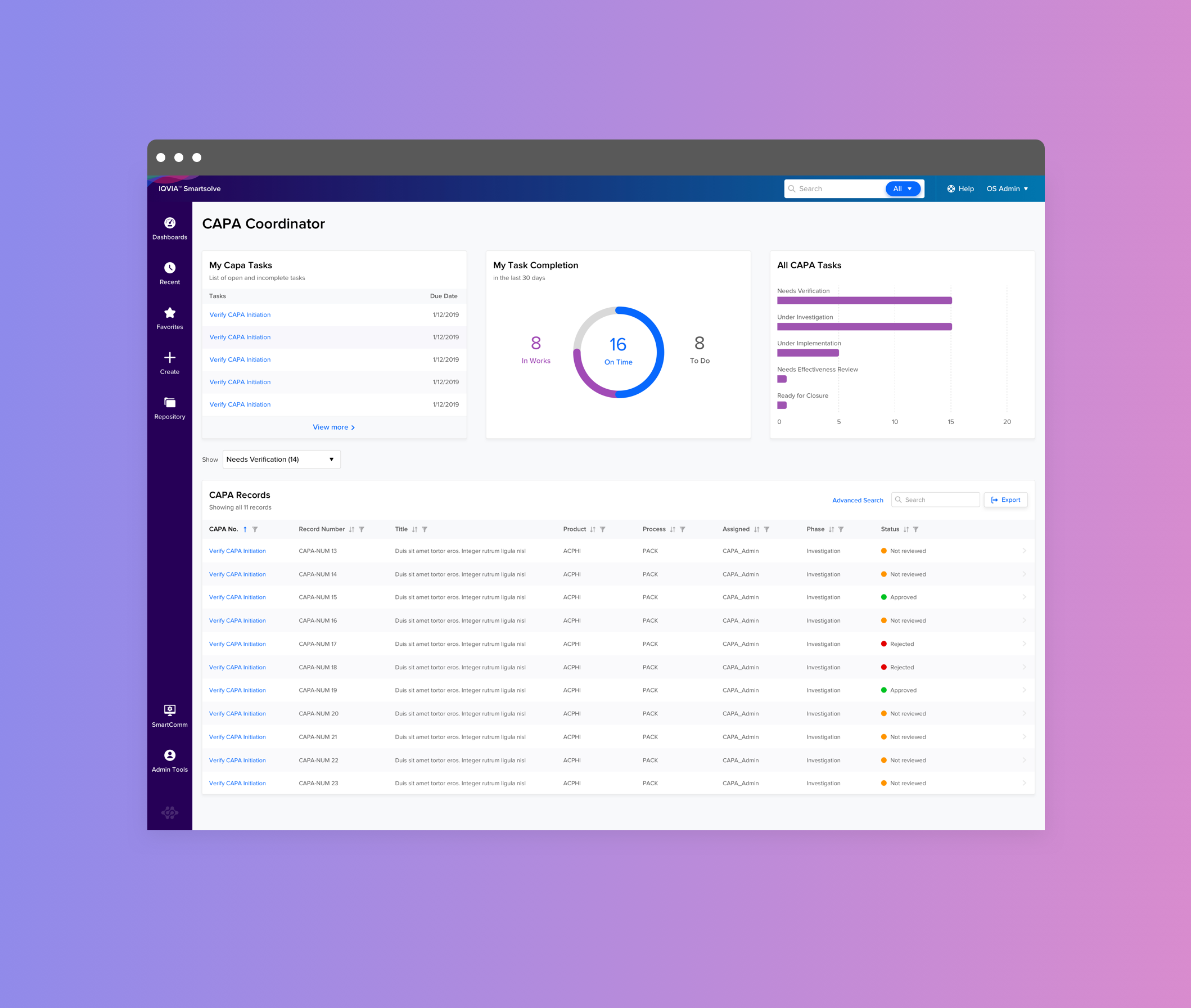
Redesign of the dashboard
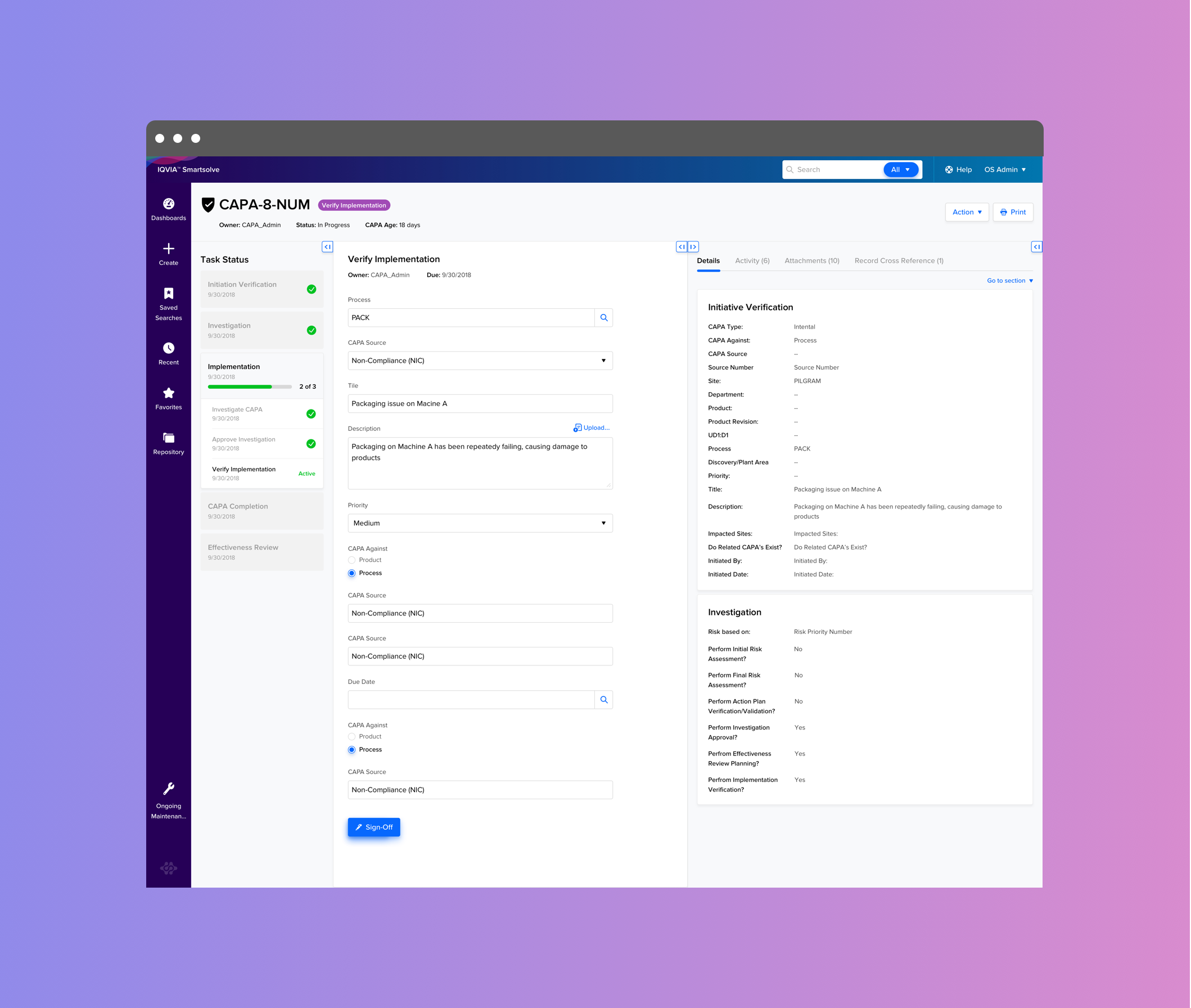
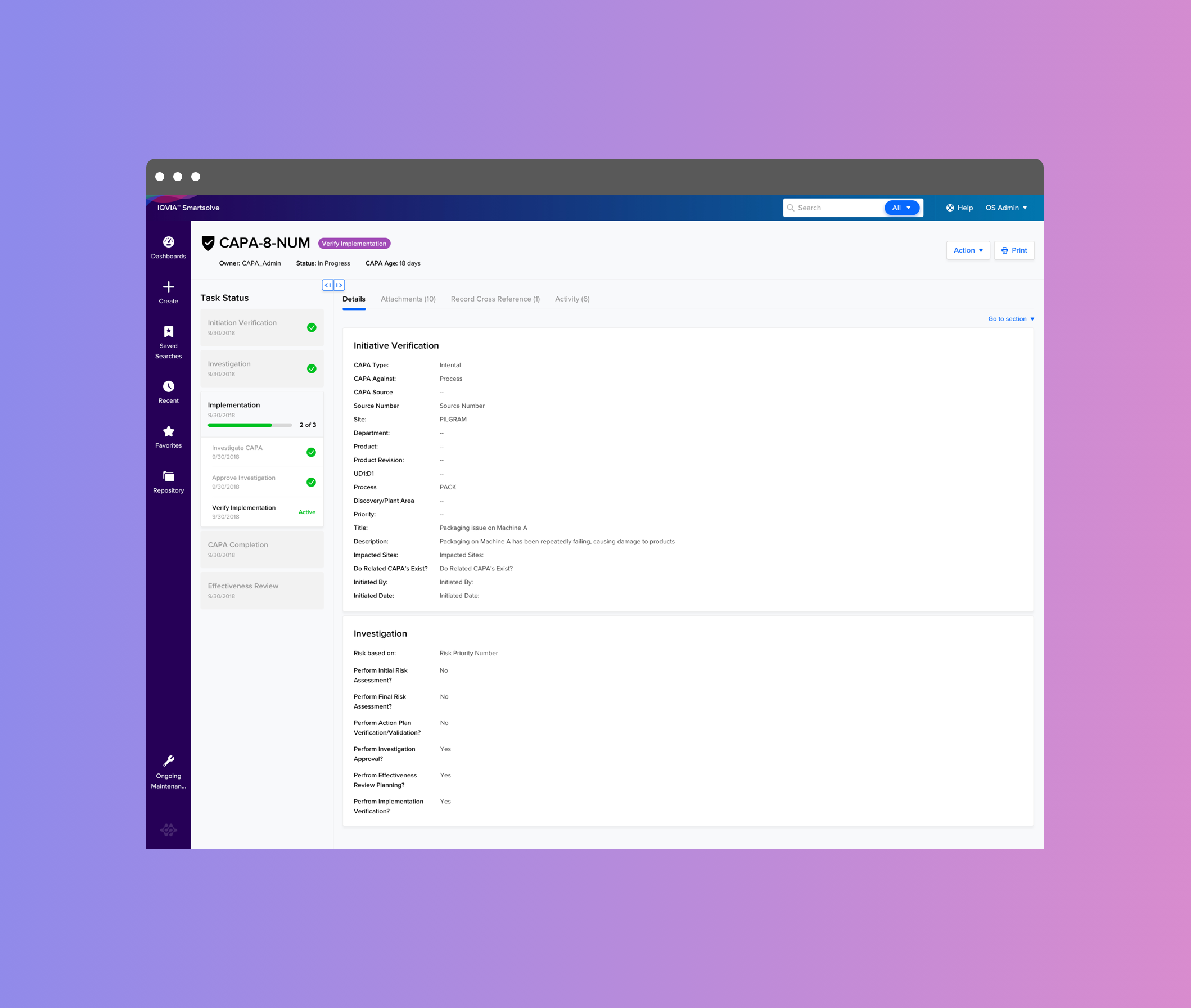
A 3 panel layout where users can choose to open and close work area as needed
Visual Design and UI
Once we receive approvals from our product owners, we move on to the exciting stage of making our product more engaging. Before I start, I conduct extensive research in our suite of applications to see if I can use existing patterns from our design system. We aim to maintain visual consistency across our suite of products. However, in this project, I had the opportunity to introduce many new patterns and designs because of the new features, which was exciting.
Research Conference
Using our high fidelity UI comps, our team put together a prototype and went down to Tampa for a 3 day conference. The goal is for potential users to to test the design and provide us important feedback.
Research feedback and design iteration
Using all our testing feedback, we identified patterns that were forming.
“Thought arrow goes to the next page, little confusing.”
“Arrow isn’t clear on what it does but once you click on them it made sense.”
“Arrow might not be the best icon? Looks like it was going to the next page, but once I clicked on it it made sense.”
Prototype
With the feedback that we got from the conference we made iteration to our design. Created a prototype and test it among our internal team and our client to show them why we made certain changes. Click Prototype to see.
MVP and Implementation
Once the final design for our MVP version is approved and confirmed, we move on to the implementation stage. We work closely with our developers, including daily standup meetings and impromptu desk meetings, to ensure that the designs and the implementation match. One of the main challenges during implementation is that sometimes real data doesn’t work with our design. Many edge cases come up that we didn’t account for, and we quickly have to adjust our design with real data. I learned that designers often expect engineers to follow our design, but in the real world, with live applications and real data, this can be tricky. As designers, we have to be flexible and offer solutions to make it work instead of being too emotionally attached to the design. We need to prioritize what we want to see given the technical restrictions.